
The 7shifts API supports two authentication methods.
| Access Token | OAuth Client | |
|---|---|---|
| Eligibility | Any 7shifts customer | Vetted partners only |
| Scope of access | One company | Any company that grants your client access |
| Lifetime | Long-lived | 1 hour |
| Required headers | Authorization | Authorization, x-company-guid |
New to the API? Start with Authentication in our guides to determine which method applies to you.
Access Tokens
Access tokens give admin-level access to a single company. They are long-lived, simple to implement, and available to any 7shifts customer without approval.
Access token permissions cannot be restricted or scoped to specific resources or actions.
Creating
Navigate to Company Settings → Developer Tools. Under Access Tokens, select Create Access Token.
Give the token a descriptive name for example, Production POS or Zapier integration.
The technical contact must be an active company admin who has logged in at least once. Assign someone who knows how the token is used; 7shifts may contact them about important notices regarding the token or the API.
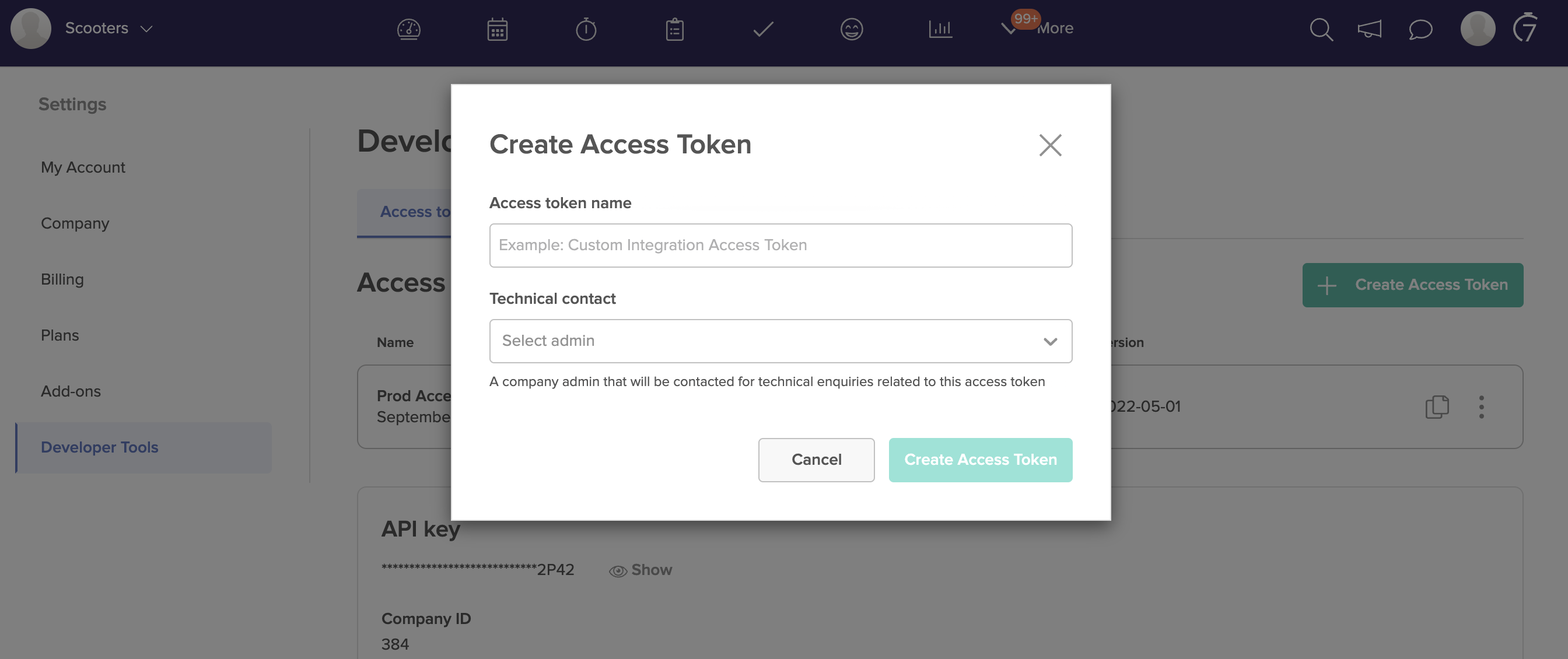
New tokens are assigned the latest API version by default. If a request omits the x-api-version header, it uses the version assigned to the token.
Technical contact DeactivationIf the technical contact is deactivated the Access Token will continue to work. Please unsure to reassign an active admin to the token in order to receive critical information from 7shifts such as fair use policy warnings or other important information.
Using
curl --request GET --url 'https://api.7shifts.com/v2/companies' \
  --header 'Authorization: Bearer {ACCESS_TOKEN}'
No other headers are required. Access tokens do not use x-company-guid.
Editing
You can change a token's name, technical contact, and base API version.
Changing the name or technical contact does not affect the token and is safe to do at any time.
Changing the base API version affects every request that omits the x-api-version header. Only change it if you don't set that header explicitly and want to move all requests to a different version.
Deleting
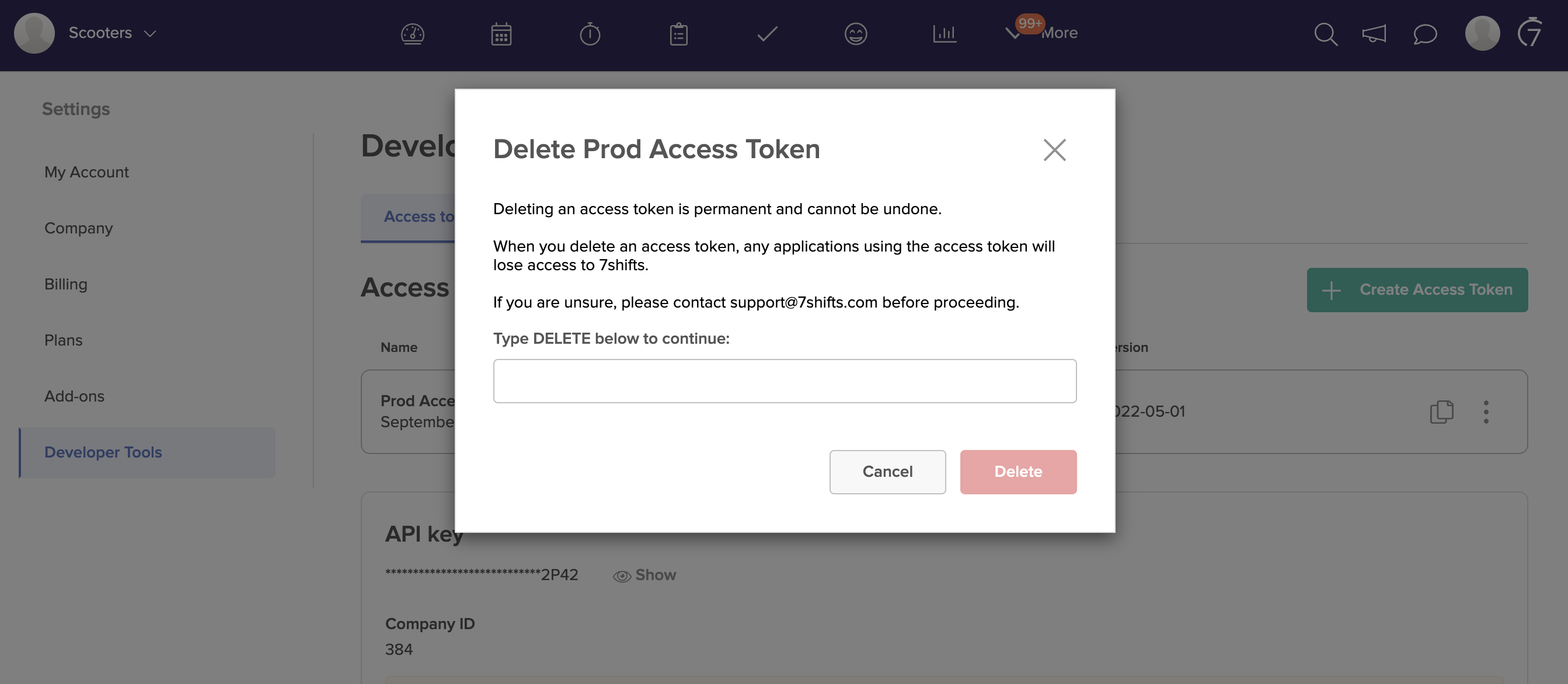
Delete tokens you no longer need as unused tokens are a standing risk if leaked or shared.
Open the token's side menu, select Delete, and type DELETE to confirm. This cannot be undone, and any application using the token will immediately fail to authenticate.
Access tokens with no activity for more than 6 months will also be deleted automatically. If your token is removed, you’ll need to create a new one.
OAuth Clients
OAuth clients are issued only to vetted 7shifts partners. See Authentication for eligibility, or the OAuth Authentication guide for the complete flow including the customer grant process.
Unlike access tokens, OAuth tokens are scoped at request time and expire after 1 hour.
Requesting a token
curl --request POST --url 'https://app.7shifts.com/oauth2/token' \
  --header 'Content-Type: application/x-www-form-urlencoded' \
  --data-urlencode 'grant_type=client_credentials' \
  --data-urlencode 'client_id={CLIENT_ID}' \
  --data-urlencode 'client_secret={CLIENT_SECRET}' \
  --data-urlencode 'scope={ADDITIONAL_SCOPES}'
Response:
{
  "token_type": "Bearer",
  "expires_in": 3600,
  "access_token": "{ISSUED_TOKEN}"
}
The scopes you request limit that token; 7shifts does not restrict which scopes a client may request. Request only what your integration uses.
Available scopes: companies, departments, locations, roles, users, sales, shifts, time_punches, events — each available as :read and :write. See the OAuth Authentication guide for details on each.
Using
curl --request GET --url 'https://api.7shifts.com/v2/companies' \
  --header 'x-company-guid: {GUID}' \
  --header 'Authorization: Bearer {ISSUED_TOKEN}'
The x-company-guid header
Required on every OAuth request.
An OAuth token is issued to your client, not to a customer, so it does not by itself identify whose data you're requesting. The company GUID is created when a customer grants your client access and maps 1:1 to a company.
Some endpoints have no company_id in the path or query parameters. For those, the GUID is what scopes the request to the correct company.
Expiry
Tokens expire 1 hour after issue. Request a new one using the same call. There is currently no refresh token mechanism.