
Overview
This guide will walk you through what the 7shifts Embed SDK is, how it works, and what you need to get started embedding 7shifts widgets into your Point of Sale application.
Upon completion of this guide and the associated integration steps, you will have embedded 7shifts widgets into your POS application or dashboards that allow restaurant operators to:
- View real-time sales and labor data alongside their operational workflows.
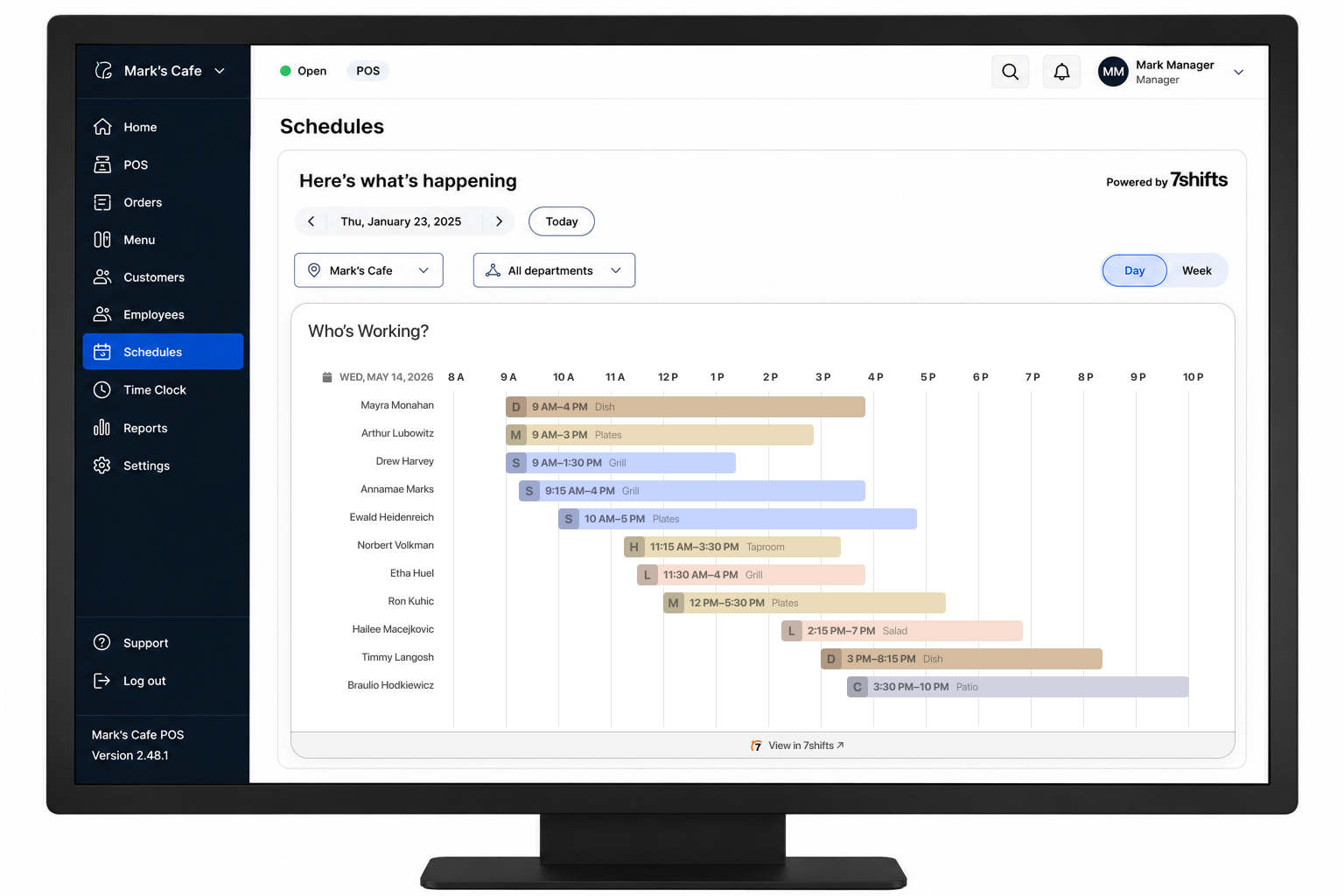
- See at a glance who is currently working and when scheduled shifts begin and end.
Feature RestrictionIf you are a Point of Sale provider and wish to add support for 7shifts Embed SDK with within your product, please contact [email protected] to get started.
What is the 7shifts Embed SDK?
The 7shifts Embed SDK is a JavaScript library, hosted by 7shifts, that renders interactive 7shifts widgets directly inside your application. Rather than redirecting users to the 7shifts platform, your customers can access key scheduling and labor data without ever leaving your POS interface.
You load a single <script> tag from 7shifts, initialize the SDK with your configuration, and the widgets handle data fetching, and rendering automatically.
What's in it for your customers?
- Restaurant operators can view live labor and sales data in the same tool they use to run their floor — reducing context switching during busy service periods.
- Managers can confirm who is scheduled and who has clocked in without toggling between systems.
- Labor cost visibility alongside sales data makes it easier to make staffing decisions in the moment.
Available widgets
| Widget | Description |
|---|---|
salesLabor | Displays a graph comparing projected and actual sales and labor, using data pulled from the customer's schedule and POS or 7punches. Includes labor % of sales and Sales Per Labor Hour metrics. Available in daily, weekly, and monthly views. |
whosWorking | Displays a Gantt-style timeline that provides a real-time overview of the customer team's shift schedule including employee names, assigned roles and stations, and shift times for a specific day. |
Requirements
- An OAuth client issued by 7shifts for your integration.
- A supported application configuration provisioned by 7shifts for your POS application.
- A web-based or web-view-capable surface in your POS application or dashboards where the widget can be rendered.
ACCESS NOTE The Embed SDK is available to approved 7shifts integration partners only. Contact your 7shifts partner representative to request an OAuth client and application configuration.
How it works
- Your application loads the 7shifts Embed SDK script from the 7shifts CDN.
- You initialize the SDK with your OAuth credentials and target configuration.
- The SDK authenticates the current user against their 7shifts account.
- The requested widgets render inside the DOM element you specify.
Updated 5 months ago
What’s Next
Once you have your OAuth client, application configuration, and domains allowlisted, head to Configuration to load your first widget.